
Sponsor Licence Compliance Software for UK Care Providers
The duties a sponsoring care provider has to prove at any time, where spreadsheets fail, and what good compliance software should actually do.

Sponsor licence compliance software for care providers keeps every sponsored worker's records, checks and deadlines in one place, so you can prove at any moment that you are meeting your duties as a sponsor. The Home Office expects you to keep specific documents, report certain changes within 10 working days and be ready for checks that can happen without notice. Software does not replace a good HR process, but it removes the two things that usually cause problems: missed dates and missing paperwork.
What does the Home Office expect from a sponsoring care provider?
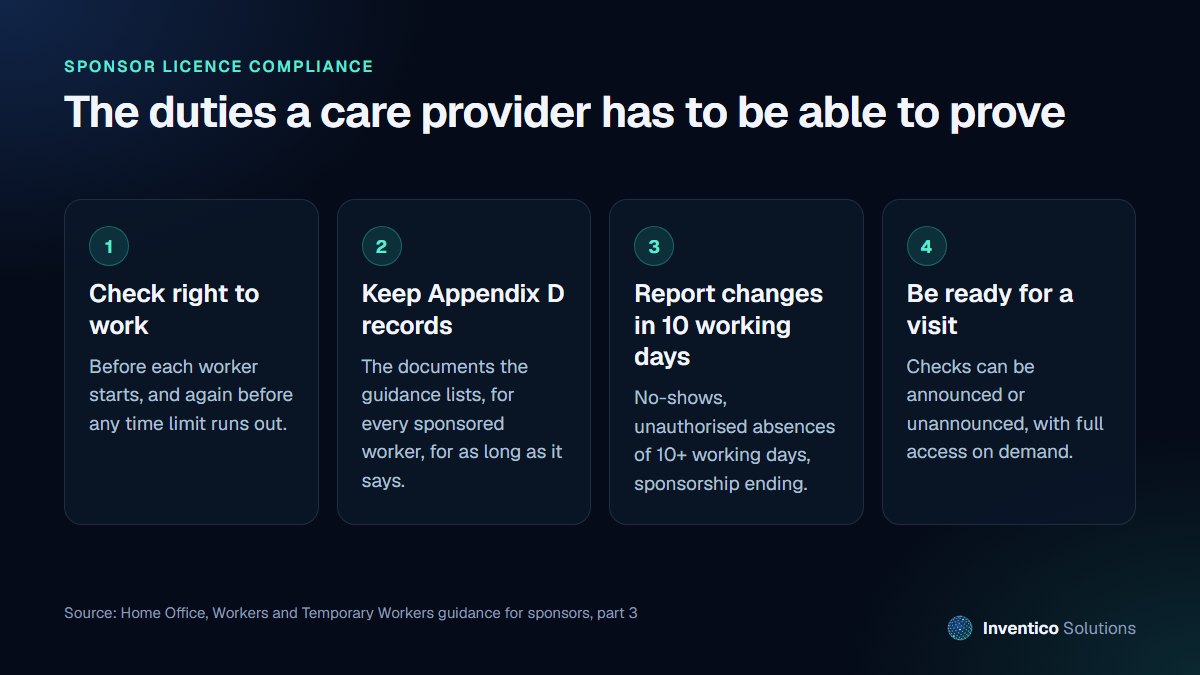
The rules are set out in the Home Office guidance for sponsors on duties and compliance. For a care provider with sponsored staff, four duties come up again and again.
Keep the right documents for every sponsored worker
The guidance says you must keep certain documents for each worker you sponsor, and that Appendix D lists those documents and how long you must keep them. In practice this means a complete file per worker: identity and right to work evidence, the certificate of sponsorship details, contact details, and records of pay and attendance.
Report changes within 10 working days
The full guidance lists changes to a sponsored worker's circumstances that you must report no later than 10 working days after they happen. Examples include:
- a worker who does not start the role within 28 days
- a worker absent without permission for more than 10 consecutive working days
- sponsorship ending for any reason
In a care home with rotas, agency cover and staff moving between sites, these events are easy to miss. The deadline still applies.
Expect checks, sometimes unannounced
The guidance states that the Home Office may check sponsors at any time, that visits can be announced or unannounced, and that you must give its staff full access to premises under your control on demand. When an officer asks for a worker's file, you need to produce it there and then, not promise to send it next week.
Understand what is at stake
If a sponsor does not meet its duties, the guidance sets out the action the Home Office can take, including downgrading the licence to a B-rating, suspending it while it makes enquiries, and revoking it. For a provider that relies on sponsored carers to staff its rotas, losing the licence affects every sponsored worker at once.
Why spreadsheets stop working
Most providers start with a spreadsheet and a shared folder. That works for a handful of workers. It tends to break down for the same reasons:
- Dates live in people's heads. A visa expiry or a reporting deadline is only noticed if someone remembers to look.
- Evidence is scattered. Copies of documents sit in email, on a manager's laptop and in a filing cabinet.
- There is no history. When a record changes, nobody can see who changed it, when, or what it said before.
- Access is all or nothing. Either everyone can open the folder, or one person holds everything and becomes a bottleneck.
None of these is a failure of effort. They are the limits of tools that were never designed for compliance.
What good compliance software should do
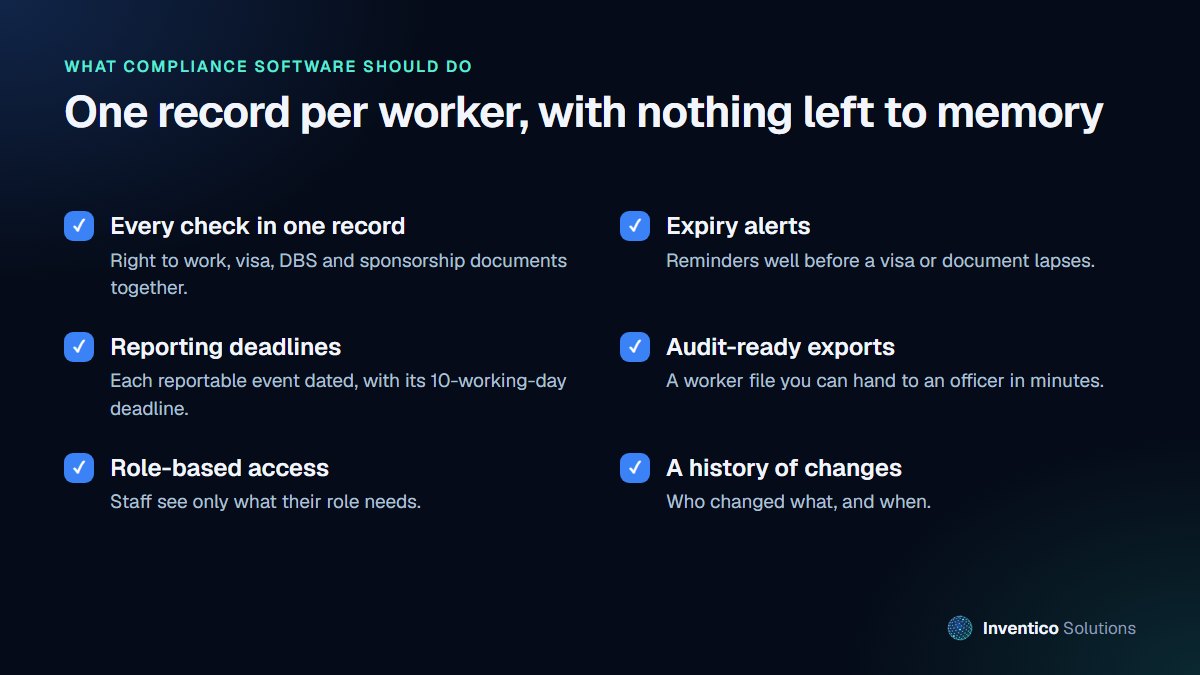
Whether you buy a product or have one built, judge it against these points.
One record per worker
Right to work checks, visa details, DBS, sponsorship documents, training and contact details belong in one record, with the documents attached. An officer's request should take minutes, not an afternoon.
Alerts before anything lapses
The system should warn you well before a visa or document expires, and again as the date gets closer, so that follow-up checks happen on time.
Reportable events with their deadline
When a worker fails to start, goes missing from shifts or leaves, the system should record the event and show the reporting deadline, so nothing waits until someone remembers.
Audit-ready exports
You should be able to produce a complete worker file, or a summary across all sponsored staff, in a format you can hand over during a visit.
Access by role and a full history
Care coordinators, HR and directors need different views. Sensitive documents should only be visible to the people who need them, and every change should be logged with who made it and when.
Security that matches the data
These records include passports, visas and personal details. Ask any supplier how they secure them. The government's Software Security Code of Practice sets out 14 principles software vendors are expected to follow, and is a useful list of questions to put to anyone building or selling you a system.
Should you buy a product or have one built?
There are good off-the-shelf HR and compliance tools. They make sense when your process matches theirs and your volume is modest. A custom system makes sense when:
- you run several homes or services and each works slightly differently
- you need compliance, rotas, training and recruitment to share the same data
- you want relocation steps, housing or onboarding tracked alongside compliance
- per-user pricing is becoming expensive as your workforce grows
Our team has built a compliance portal for a UK care provider that recruits from abroad, covering worker records, compliance checks, documents with expiry dates, alerts and relocation logistics. The lesson from that work is simple: the value is not in the software holding the data, but in it telling you what needs doing next.
Whichever route you choose, involve the people who will use it daily. A system the registered manager finds slow will be bypassed, and a bypassed system protects nobody.
A practical starting point
If you are not ready to change systems, you can still reduce risk this month:
- List every sponsored worker with their visa expiry date and right to work check date.
- Check each worker file against Appendix D and note what is missing.
- Agree who reports changes, and how they find out about absences and leavers.
- Run a mock visit: ask someone to request three worker files without warning and time how long it takes.
What you learn from those four steps is the brief for any software you later buy or build.
Frequently asked questions
01.Does compliance software guarantee we keep our sponsor licence?
No. The duties are yours, and the Home Office judges how you meet them. Good software makes it far easier to keep complete records, meet reporting deadlines and show evidence quickly, which is where most problems start.
02.How long do we have to report a change to a sponsored worker's circumstances?
The sponsor guidance lists the changes that must be reported no later than 10 working days after they happen, such as a worker not starting within 28 days or an unauthorised absence of more than 10 consecutive working days. Always check the current guidance, as it is updated regularly.
03.Can a compliance system connect to our rota or payroll software?
Usually, yes. Many rota and payroll tools offer exports or integrations, and a custom system can be built to read from them so that absences and pay information feed into compliance records automatically.
If you are weighing up a compliance system for your care business, we can help you map your process and decide whether to buy or build. Read more about our custom software development work, or get in touch for a free consultation.


