
How to Add an AI Assistant to Your Business Website Safely
An AI assistant can answer customers at any hour, but only if it answers from your content, knows its limits and hands over to a person. Here is how to set one up properly.

To add an AI assistant to your business website safely, connect it only to content you have approved, such as your service pages, policies and FAQs, tell visitors they are talking to an AI, and give it a clear route to hand conversations to a person. Before launch, test it on real customer questions and complete the data protection checks that apply when it handles personal information. Done this way, it answers routine questions at any hour without making promises your business cannot keep.
What a website AI assistant actually does
A modern assistant is not a script of fixed replies. It reads a visitor's question in their own words, finds the relevant parts of your content and writes an answer from them.
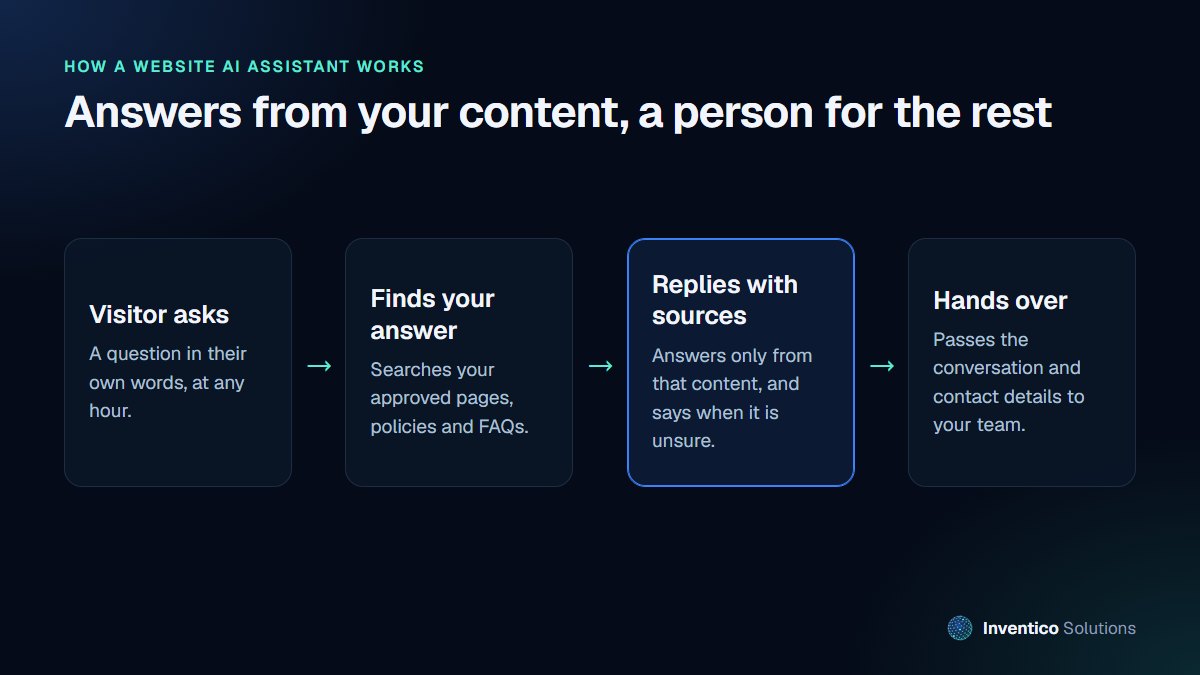
The important part is the second step. An assistant that searches your own approved material and answers only from it is far more reliable than one that answers from general knowledge. When it cannot find an answer, it should say so and offer to put the visitor in touch with your team, rather than guess.
What should it answer, and what should it leave alone?
Good uses for a business assistant:
- opening hours, locations, delivery areas and lead times
- what each service includes and who it suits
- how to book, what to prepare and what happens next
- policy questions, answered from your published policies
Questions it should pass to a person:
- prices for custom work, discounts and anything negotiated
- complaints, refunds outside your published policy and disputes
- medical, legal or financial advice
- anything that commits your business to a promise
Set these limits in the assistant's instructions and test them. The cost of getting this wrong is real: in Moffatt v. Air Canada, a Canadian tribunal held the airline responsible for incorrect fare information its website chatbot gave a customer, finding that a chatbot is still part of the company's website and that the company must take reasonable care that it is accurate. That case was decided in Canada, but the principle is a sensible one to assume anywhere: what your assistant says, your business says.
Data protection: what to check first
If your assistant collects names, emails or details about a visitor's situation, it processes personal data, and data protection law applies. In the UK the starting point is the ICO's guidance on AI and data protection, which covers accountability, data protection impact assessments, transparency and lawfulness when AI is involved.
In practice, for a website assistant that means:
- Know your lawful basis for any personal data it collects, and collect only what you need.
- Update your privacy notice to explain the assistant, what it records and who provides the AI service.
- Consider a data protection impact assessment. The ICO's guidance treats this as part of accountability when AI processes personal data.
- Check your AI provider's terms, including where data is processed and whether conversations are used to train their models.
- Set a retention period for conversation logs and stick to it.
The ICO has also published its response to its consultation series on generative AI, which is worth reading if you are building something more ambitious than a website helper. Businesses outside the UK should check their own country's rules: Saudi Arabia, for example, has its own personal data protection law.
A launch checklist
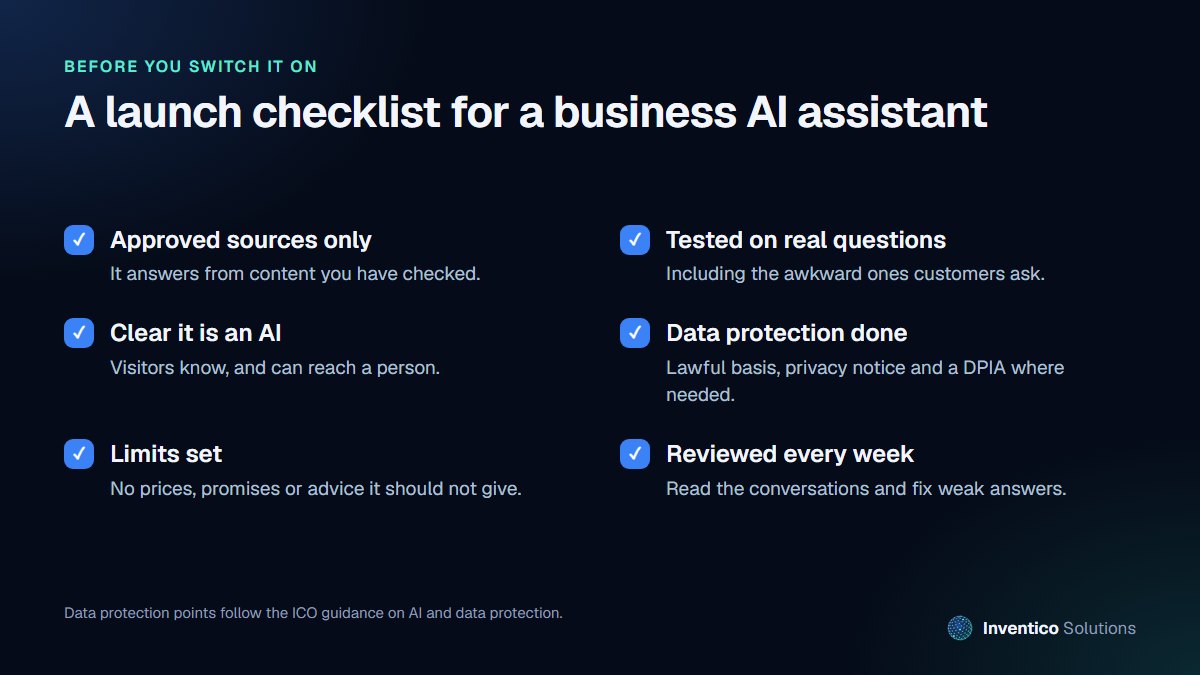
- Approved sources only. Connect the assistant to content you have checked and keep that content current.
- Test on real questions. Collect fifty questions from your inbox and phone notes, including the awkward ones, and review every answer.
- Make it clear it is an AI. A short line at the top of the chat is enough, along with a visible way to reach a person.
- Finish the data protection work described above.
- Set limits on prices, promises and advice, and test that they hold.
- Review conversations weekly for the first month. The questions it struggles with show you which pages on your site need improving.
A ready-made widget or a custom assistant?
There are two broad routes.
A ready-made chat widget from a help desk or website builder is quick to switch on and usually charged per month. It suits simple question-and-answer use, provided you can control which content it answers from and switch off anything it should not do. Check whether it can hand conversations to your inbox or help desk, how it shows sources, and where conversation data is stored.
A custom assistant is built around your content and systems. It makes sense when you want it to check availability, take a booking, look up an order or follow your own hand-over rules, or when you need control over the AI provider, data location and retention. It costs more to set up, but it does exactly what your business needs and nothing it should not.
Many businesses start with a narrow custom assistant on their most-visited service pages, measure the results for a month, and expand from there. Whichever route you take, the same rules apply: approved content, clear limits, an obvious way to reach a person, and someone reviewing what it says.
What it costs to run
The ongoing cost has two parts: the AI service, usually charged by usage, and the time to keep the assistant's content and instructions up to date. For most small business websites the usage cost is modest, because visitors ask short questions. The bigger investment is the set-up: choosing what it can answer from, writing its instructions, building the hand-over to your team and testing it properly.
Be wary of tools that promise an assistant "in five minutes" by pointing it at your whole website. That is a fast way to launch something that quotes an old price or an outdated policy.
How to measure whether it is working
Track a few simple numbers each month:
- how many conversations it handled and how many it passed to a person
- the questions it could not answer
- enquiries or bookings that started in a chat
- complaints or corrections linked to an answer it gave
If the hand-over rate stays high, the assistant needs better content. If enquiries rise and corrections stay rare, it is earning its keep.
Frequently asked questions
01.Will an AI assistant replace our customer service team?
No, and it should not try. It handles routine questions so your team can spend their time on the conversations that need judgement, and it hands over anything it should not answer.
02.Can the assistant make bookings or take enquiries?
Yes. It can collect details and pass them to your booking system or inbox, or link visitors to your booking page. Anything it collects is personal data, so include it in your privacy notice and data protection checks.
03.What happens if the assistant gives a wrong answer?
Treat it as your business giving a wrong answer. Correct it with the customer, fix the content or instruction that caused it, and review similar questions. Weekly reviews in the first month catch most problems early.
If you would like an assistant that answers from your own content and knows when to hand over, see our AI integration services, or read about AI agents and automation for work that goes beyond your website.


